
Fares
CATA offers flexible, convenient ways to pay your fare — so you can ride your way.
Service Changes Effective Aug. 24, 2026
Following CATA Board approval on Aug. 19, 2026, the fare for the Connector Service has been modified to $1.25 Regular one-way fare and $0.60 Discounted one-way fare. For CATA Rural Service, the distance-based fare for trips over 10 miles has been removed. All trips for CATA Rural Service will have a $2.25 Regular one-way fare and a $1.00 Discounted one-way fare. These changes will take effect on Monday, Aug. 24, 2026.
Pay Your Way
From cash to contactless — ready to ride
Choose from traditional options like cash and passes, or use contactless payments including tap-to-pay credit and debit cards, mobile wallets such as Apple Pay and Google Pay, mobile apps like Transit and CATA Mobile Pay and Prepaid Fare Cards, which are coming soon. Payment options are available across CATA services, though availability may vary by service.
Contactless Payment
Contactless payment allows secure, touch-free transactions with mobile apps or prepaid cards.

Mobile Pay
Manage tickets and accounts digitally in Transit app or the CATA Mobile Pay app.


Purchase Passes
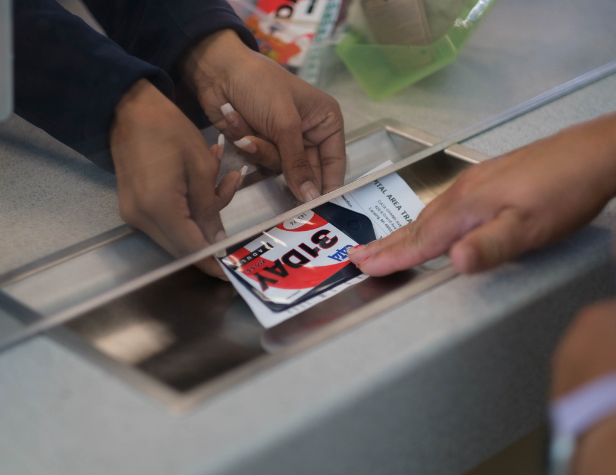
Purchase passes in person or online. Riders of fixed-route buses or Connector services should choose a magnetic stripe pass, available in single-ride, 10-ride and unlimited ride options. Those using Spec-Tran, Redi-Ride or Rural Service will need a punch pass, which covers 10 one-way rides. Spec-Tran also offers a four-ride punch pass for added flexibility.
Using Cash
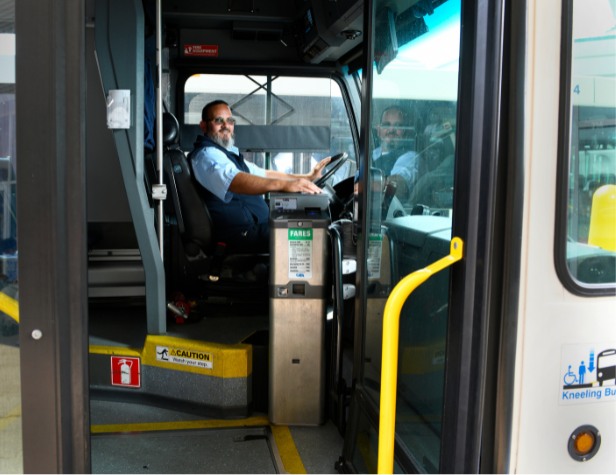
Pay with cash when boarding. Cash is accepted on all CATA services. Simply deposit bills or coins into the farebox or hand it directly to the driver. Fareboxes accept $1, $5 and $10 bills as well as all U.S. coins up to 25¢. Drivers cannot make change. If change is required, a CATACash Card will be issued.
Special Fare Programs
CATA offers options for reduced rates if you meet certain criteria, and even free travel for specific programs or routes.
Transfers
Make easy connections with transfers. Free transfer cards for cash payments are valid for 2 hours and usable twice on equal or lower fares.
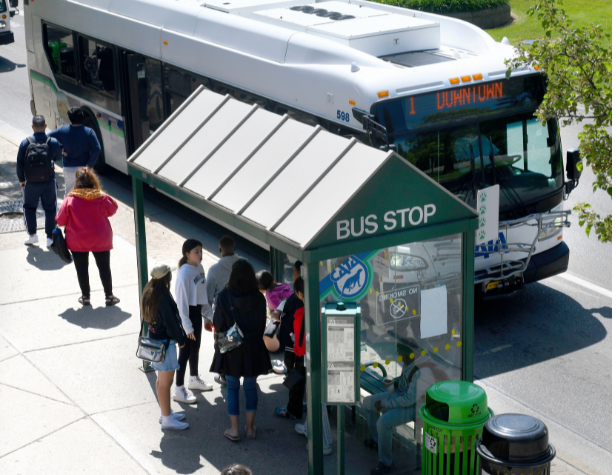
Scheduled Services
Fares for public transit on a fixed schedule. Fares displayed as "Regular / Discount" one-way fare, unless labeled. Proof of eligibility must be shown when boarding to receive a discounted one-way fare, unless the discount is already included with the rider's pass or fare product. Learn more on the Discounted Fares webpage.

Fixed Route
Connector
Shopping Bus
Flexible And On-Demand Services
Fares displayed as "Regular / Discount" one-way fare, unless labeled. Proof of eligibility must be shown when boarding to receive a discounted one-way fare, unless the discount is already included with the rider's pass or fare product. Learn more on the Discounted Fares webpage.
Spec-Tran
Redi-Ride
CATA Rural Service (CRS)
MSU Night Owl
MSU Lot Link
Fare Payment FAQs
CATA offers numerous ways to pay your fare. The Q&As below provide details about each fare type so you can choose the option that works best for you.
- I want the fastest, easiest option.
- Use a contactless credit or debit card, Apple Pay, or Google Pay. Just tap and go. Discounts do not apply to Apple Pay or Google Pay.
- I want to use my phone and manage fares digitally.
- Use the CATA Mobile Pay app or the Transit app to buy tickets or store value.
- I qualify for discounted fares.
- Use the CATA Mobile Pay app, Transit app, or a prepaid fare card (coming soon) linked to an eligible account. Be ready to show valid ID if asked.
- I ride often and want to save money.
- Choose a 31-day pass, semester pass, or multi-ride card.
- I don’t use a smartphone or bank card.
- Pay with cash, passes, ride cards, or blue tokens (Spec-Tran only).
- I ride Spec-Tran, Redi-Ride, or Connector services.
- Use punch passes, cash, or eligible mobile payment options, depending on the service.
- I want a reloadable option without paying cash each trip.
- The prepaid fare card lets you load funds and tap to pay.
- I ride CATA Rydz.
- Pay through the CATA Rydz app or with cash when boarding.
- What is Pay Your Way?
- Pay Your Way highlights the different ways you can pay your fare when riding CATA, including cash, passes, mobile apps, and contactless options.
- Do all payment options work on every CATA service?
- No. Some payment methods are not accepted on certain services. Always check which options apply to your service.
- Can I split my fare between payment methods?
- No. You must pay your full fare using one method only — either at the farebox or on the payment validator.
- For example, you cannot pay part of your fare with cash and the remaining balance with a debit/credit card or mobile payment.
- No. You must pay your full fare using one method only — either at the farebox or on the payment validator.
- Can I pay with a credit or debit card?
- Yes, on most services. Tap a contactless Visa, Mastercard, or debit card on the vehicle validator or tablet.
- Which services accept credit and debit cards?
- All CATA services except the Shopping Bus.
- Are Visa gift cards accepted?
- No. Visa gift cards are not accepted.
- Can I use Apple Pay or Google Pay?
- Yes, on most services with a compatible smartphone or smartwatch.
- Which services accept Apple Pay and Google Pay?
- All services except the Shopping Bus and CATA Rydz.
- Do discounts apply?
- No. Fare discounts are not available with Apple Pay or Google Pay.
- What is the prepaid fare card?
- A reloadable card you can tap to pay your fare.
- Which services accept the Prepaid Fare Card?
- All services except the Shopping Bus and CATA Rydz.
- Where can I get one?
- At CATA facilities, including the CTC, Multimodal Gateway, and Tranter Office.
- How do I load funds onto the card?
- Cards start with a $0 value. Riders can add up to $100 depending on how much money they want to load. Funds can be added at:
- CATA Customer Experience Representatives (CXRs) at the CTC, Gateway and Tranter St. headquarters.
- Select stores including Walgreens, CVS, 7-Eleven, Walmart, Meijer and Target, etc..
- CATA vending machines (once installed)
- Cards start with a $0 value. Riders can add up to $100 depending on how much money they want to load. Funds can be added at:
- Are there any limits or expiration dates?
- Cards have a maximum balance of $100. Funds don't expire.
- Can customers access discounted fares with the prepaid card?
- Yes, but only if the card is linked to an account and set as the primary token with a valid discounted fare entitlement. If a generic card is used without linking, standard fares will be charged.
- Does the validator display the amount deducted at the time of tap?
- No. The validator does not display the charge for prepaid, credit, or debit cards. Riders can check their charges by:
- Logging into their account through the customer portal
- Reviewing account statements
- Asking a CATA Customer Experience Representative (CXR)
- No. The validator does not display the charge for prepaid, credit, or debit cards. Riders can check their charges by:
- How can customers check the remaining balance on their prepaid card?
- Riders can check their balance through:
- The customer portal
- Asking a CXR
- Vending machines (once installed)
- Riders can check their balance through:
- Can I swipe the card?
- No. The card must be tapped on the validator or tablet.
- What can I do with the apps?
- Buy digital passes or store value and scan your ticket when boarding.
- Which services accept mobile app payments?
- All services except the Shopping Bus and CATA Rydz.
- Can I use a screenshot of my ticket?
- No. Only active tickets shown in the app are accepted.
- Are discounted fares available?
- Yes, for eligible riders such as seniors, Medicare cardholders, riders with disabilities, and students.
- What services accept one-ride passes?
- Fixed-route service only.
- How do I use passes and ride cards?
- Insert the pass or card into the farebox when boarding (does not include punch passes).
- Which services use punch passes?
- Spec-Tran, Redi-Ride, Rural Service, and Connector services. Hand the pass to the driver.
- Can passes be shared?
- Only 10-ride passes can be shared. 31-Day and Semester passes cannot be shared.
- How do 31-day passes work?
- Insert the pass into the left side of the farebox to activate it. After activation, swipe it for each ride.
- Can I pay with cash?
- Yes. Cash is accepted on all CATA services.
- What bills and coins are accepted?
- $1, $5, and $10 bills, and U.S. coins up to 25 cents.
- Do drivers make change?
- No, drivers do not make change. If change is needed, the farebox issues a CATACash Card on vehicles equipped with a farebox.
- What are blue tokens used for?
- Spec-Tran only.
- Where can I buy blue tokens?
- At CATA facilities and select pass vendors.
- Who rides free?
- Veterans from all U.S. Armed Forces and Reserves ride free every day on all CATA services. Children under 42 inches tall ride free when accompanied by an adult.
- Who qualifies for discounted fares?
- Seniors 62 and older, Medicare cardholders, riders with disabilities with valid CATAClub or ADA ID, and eligible students with valid ID qualify for discounted fares.
- How to do I obtain a discounted fare.
- Show a valid student ID, Medicare card, ADA card or CATAClub card to pay a discounted 60¢ fare or buy a discounted pass.
- When do I need a paper transfer?
- You only need a paper transfer when you pay at the farebox using cash or a bus pass.
- Do I need a paper transfer if I use a contactless payment method?
- No. Transfers are handled automatically in the contactless payment system. You do not need a paper transfer.
- What happens if I forget to get a paper transfer when paying at the farebox?
- You will need to pay another fare when boarding your next bus, since the system cannot track your transfer without the paper slip.
- Are transfers free?
- Yes. Riders can request a free transfer card when boarding their first bus.
- How long are transfers valid?
- Transfers allow travel to another route or service going in the same direction within two hours, for up to two rides. Transfers are not valid for return trips.
- Do I pay more when transferring?
- Transfers to equal or lower-fare services are free. Pay the difference when transferring to a higher-fare service.
- How do transfers work with CATA Rydz?
- Fixed-route to CATA Rydz:
- You pay your fare when boarding your fixed-route bus. When transferring to CATA Rydz, your transfer is automatically recognized through geolocation in the CATA Rydz app. Simply book your trip in the app, and your transfer will be applied free of charge.
- CATA Rydz to fixed-route:
- You pay your fare (with cash or through the CATA Rydz app) when entering the vehicle. When transferring to a fixed-route bus, request a free paper transfer from your CATA Rydz driver. Present this paper transfer to the fixed-route bus driver when boarding.
- Fixed-route to CATA Rydz: